Release Date: 2026-06-16
SHA256 Hash: B7CABA08AD318A41C9F92BDAB66EDCDF031DB1407A6619B68787248454AFFA44
MD5 HASH: 1B03BB1FD317EA0528A54795E23A44CE
Platform: Windows 10, 11 64-bit
About Zapp Note
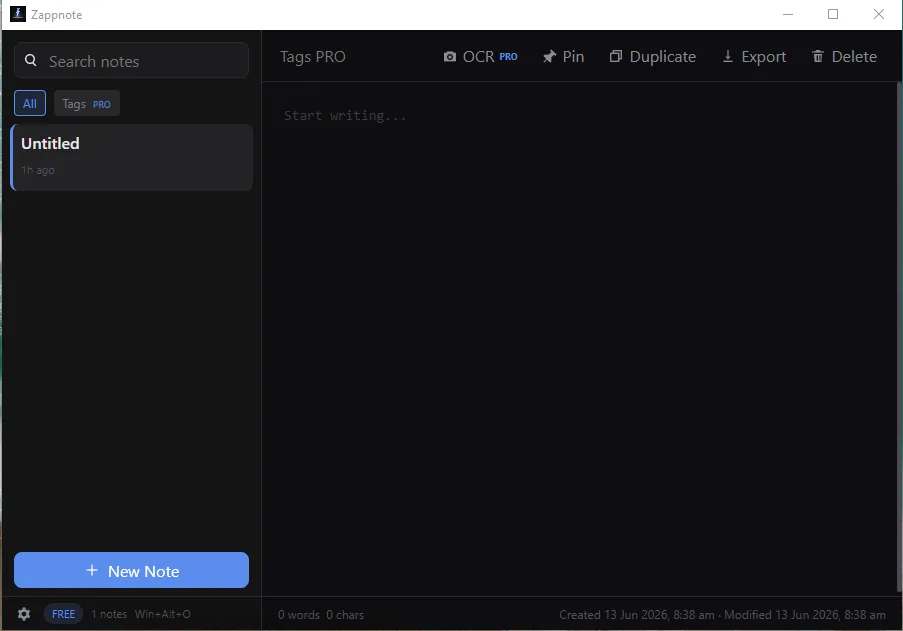
Zapp Note is a tiny windows app that lets you capture your thoughts instantly, without interrupting what you're doing. You can press a hotkey Win + Alt + O (by default) and in less than 50 milliseconds, a simple overlay will appear where you can write down your thought. Once you click outside or press Esc, the overlay will disappear and your note will be saved. You can also open the Zapp Note application to create notes or view all the notes. It is available on the Microsoft Store with a 30-day free trial.
Features
- Create any number of notes.
- Full text search on all Notes.
- Pin important notes.
- Dock overlay on the screen.
- Set smart transparency mode to auto adjust transparency.
- Export any note in txt or markdown.
- Customize hotkeys
- OCR to extract text from any app by selecting the area.
- Filter notes by tags, date, creation mode (OCR/ Text)
- Create multiple overlays, dock them to keep track of tasks/ important informations.
- Customize Data Store location. You can store it inside Dropbox or OneDrive for cloud backup/ sync.
OCR Feature
The OCR feature can be used in 2 ways. From any application, you can press the hotkey Win + Alt + C (default) and use your mouse to select any area and the text will be stored as a new note. Or you can open the application, select a note and use the OCR button to select a region of the screen and the text will be instantly added to the existing note.