The lightning-fast, keyboard-first desktop utility to save ideas, tasks, or OCR screen text in under 50ms without breaking your flow.
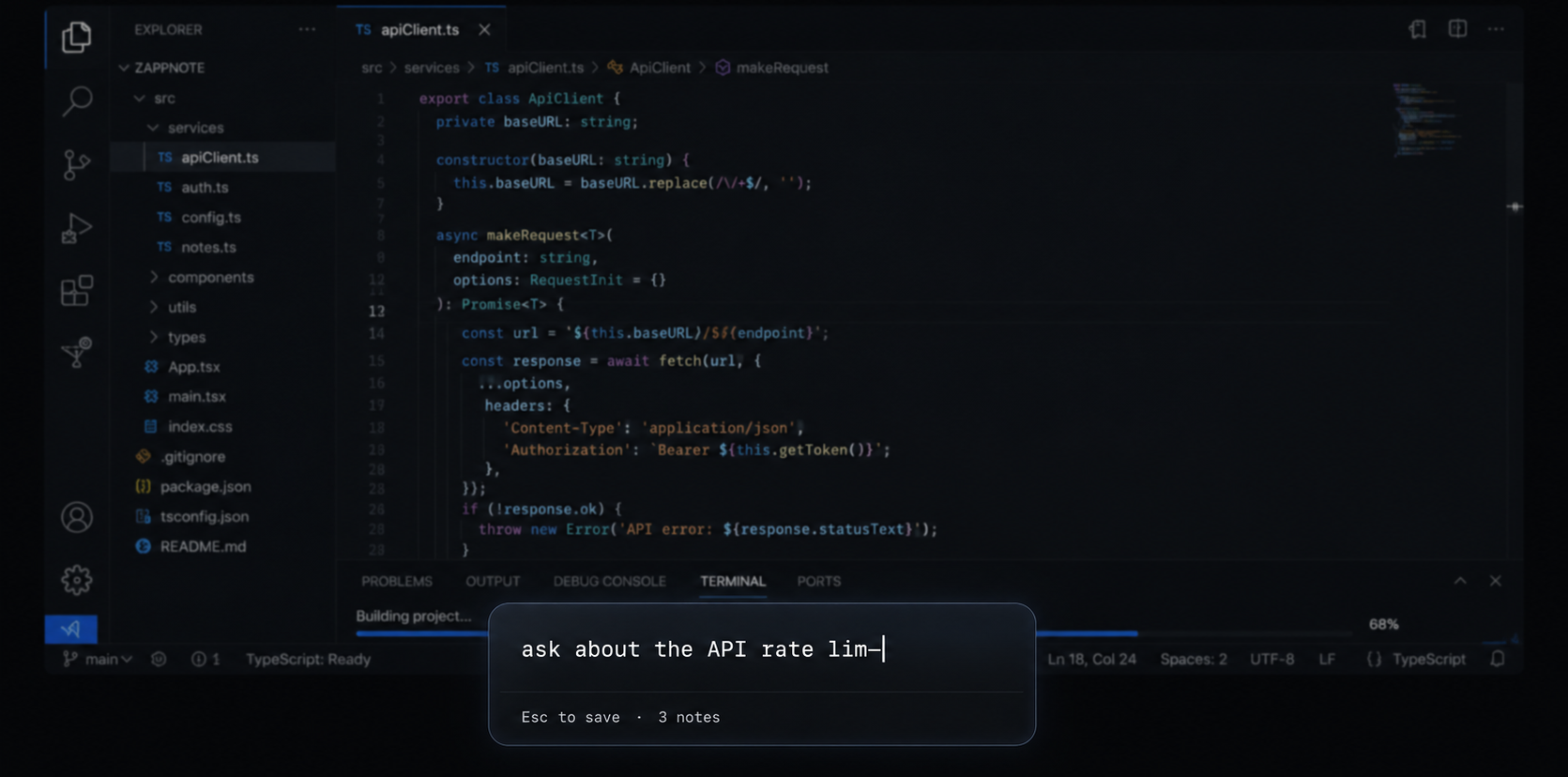
A note capture loop that fits comfortably inside your muscle memory.
Hit the global hotkey from any application. The Zappnote input overlay appears immediately at the top of your screen.
Type out your thought, task, code block, or reminder. Focus remains entirely inside the text container.
Press Esc. The note is automatically saved to your database, the overlay closes, and you're instantly back to what you were doing.
Zappnote removes every single friction step between having a critical idea and saving it.
Premium features tailored for developers, creators, and power users.
Launches the overlay panel in under 50ms using optimized desktop hook mechanisms. No loading screens, no spinners.
Access notes or start an OCR selection on top of IDEs, web browsers, design editors, or full-screen games.
Extract un-copyable text from images, videos, PDFs, or presentations instantly with Win+Alt+C .
Engineered with Rust and SQLite. Consumes minimal memory (< 15MB RAM) while resting quietly in your system tray.
No account setups, no cloud tracking. Your thoughts remain stored in an encrypted SQLite database on your local disk.
Fully optimized for power users. Pin notes, search files, navigate layouts, and clear logs without lifting hands off your keyboard.
A single, premium license for power users. No subscriptions. No hidden fees.
Try it absolutely free for 30 days. Pay once, own it forever.
Secured & managed natively via the Microsoft Store. Cancel anytime before trial ends to avoid being charged.
Everything you need to know about Zappnote licensing and functionality.
Your next idea won't wait.
Download Zappnote from the Microsoft Store and remove friction from your workflow today.